Level Up CAD/CAM
SLOKY Preset Torque Set for XTCERA Mills
SLOKY Preset Torque Set for XTCERA Mills
SKU:SKY-XT-S
Available to order
Couldn't load pickup availability
Preset Torque Control for XTCERA Milling Workflows
Stop tightening by feel. The SLOKY Preset Torque Set brings together the primary torque settings used across common XTCERA milling workflows, helping technicians secure milling materials more consistently while reducing the risk of overtightening.
Each torque adapter is paired with a dedicated SLOKY handle so the setup can remain assembled and ready for use. Level Up CAD/CAM also recommends a simple handle configuration to make the different torque settings easier to identify during daily milling.
What's Included
The XTCERA set includes:
0.2 Nm Torque Adapter + Red LT Handle
Recommended for zirconia discs0.6 Nm Torque Adapter + Blue LT Handle
Recommended for PMMA discs3.0 Nm Torque Adapter + Blue ST Handle
Recommended for glass ceramics grinding and titanium pre-milled abutmentsThree H3 (3 mm) Hex Bits
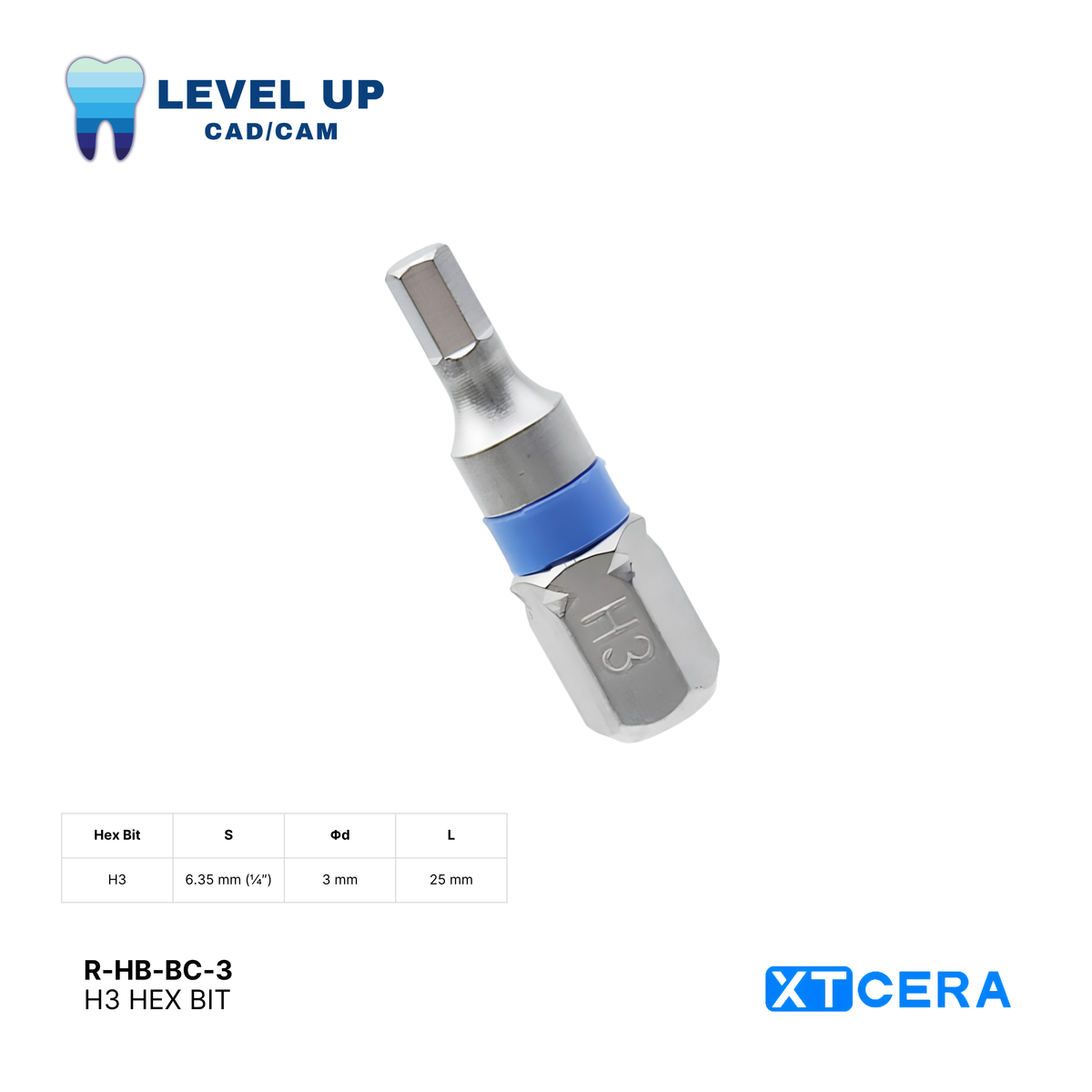
One H3 (3 mm) hex bit for each included adapter. The set contains three adapters, three handles, and three H3 hex bits. Hex bit SKU: R-HB-BC-3. Blue collar, 25 mm overall length, and 1/4-inch drive shank.
When the specified torque is reached, the adapter disengages to help prevent additional tightening. This provides a more repeatable alternative to estimating tightness by hand and helps maintain consistency between technicians.
Why We Recommend This Handle Setup
The handle configuration is designed to make each torque setup easier to identify and use within the milling machine.
For zirconia and PMMA, Level Up recommends keeping the 0.2 Nm and 0.6 Nm adapters on separate LT handles. This eliminates the need to repeatedly remove and switch adapters when moving between materials.
We recommend:
Red LT Handle for 0.2 Nm / Zirconia
Blue LT Handle for 0.6 Nm / PMMA
The red and blue colors are simply our recommended identification system. The handle color itself does not determine the torque setting or material compatibility. If your lab prefers the opposite arrangement, the red and blue LT handles can be assigned according to your own workflow.
For the 3.0 Nm adapter, we recommend the ST Handle. Its compact T-shaped design is better suited for working within the limited clearance inside a milling machine compared with a longer straight-style handle.
Key Features
Complete XTCERA Torque Setup: Includes the primary torque settings used for common zirconia, PMMA, glass ceramic, and titanium workflows.
Dedicated Handle for Each Torque Setting: Keep each adapter assembled and ready for use without repeatedly switching components.
Preset Torque Control: Applies a specific torque value without relying on tightening by feel.
Helps Prevent Overtightening: The adapter disengages once its preset torque is reached.
Recommended Color Identification: Red and blue LT handles make the 0.2 Nm and 0.6 Nm setups easier to distinguish at a glance.
Flexible Handle Colors: Labs may reverse the red and blue LT handle assignments based on their preferred workflow.
Compact ST Handle: Recommended for the 3.0 Nm configuration to provide easier access within limited machine clearance.
Supports Dry and Wet Milling: Covers common XTCERA applications across both dry and wet milling workflows.
Compatible Hex Bits Included: Provides the driver bits required for the included torque configurations.
Replaceable Components: Individual torque adapters, compatible handles, and H3 (3 mm) hex bits are also available separately.
Why Choose the SLOKY XTCERA Set?
Different milling materials require different torque settings, and relying on feel alone can make material setup inconsistent from one technician to another.
The SLOKY XTCERA Set keeps the most commonly used torque configurations together in one system. Because each adapter has its own handle, technicians can keep the setups assembled instead of repeatedly removing and reinstalling components.
The recommended handle configuration also creates an easy visual system for distinguishing frequently used torque settings while still giving labs the flexibility to organize the handle colors around their own workflow.
The result is a more organized, controlled, and repeatable approach to material setup for XTCERA milling.
Recommended Applications
0.2 Nm + LT Handle
For zirconia discs. Level Up recommends the red LT handle for quick identification.
0.6 Nm + LT Handle
For PMMA discs. Level Up recommends the blue LT handle to distinguish it from the zirconia setup.
3.0 Nm + ST Handle
For glass ceramics grinding and titanium pre-milled abutments. The compact T-shaped handle is recommended for easier use within the working space of the mill.
The red and blue LT handle assignments are recommendations only and may be reversed based on your lab's preferred identification system.
Additional Torque Requirements
A 5.0 Nm torque adapter may be required for certain machine fixtures or accessory installations.
Because this requirement depends on the specific machine and application, the 5.0 Nm adapter is not included in the standard XTCERA set and is available separately.
Compatibility
This set is intended for XTCERA milling workflows.
Torque requirements may vary by machine model, fixture, material, and application. Always confirm the required torque specification for your equipment before use.
Contact Level Up CAD/CAM if you need help confirming the correct torque setup for your mill.
Individual Components
Already have part of the SLOKY system or need a replacement?
Individual torque adapters, compatible handles, and H3 (3 mm) hex bits are also available separately. This allows you to replace a component, add another setup, or configure your handle colors around your lab's preferred workflow.
Preorder Information
This product is currently available for preorder. Product availability and estimated fulfillment timing will be confirmed before fulfillment.
Contact Level Up CAD/CAM if you need assistance confirming compatibility or selecting the correct torque configuration for your mill.
Copyright Disclaimer
All photographs displayed on this site are the exclusive property of LEVEL UP CAD/CAM. Unauthorized use, reproduction, or distribution of these images, in whole or in part, is strictly prohibited. Written permission from LEVEL UP CAD/CAM must be obtained to use these photographs for any purpose. Violators will be subject to legal action.
For inquiries or permissions, please contact us at info@levelupcadcam.com.
Share